Sit square.
A quiet nudge when you cross your legs at your desk, and another when you sit right again.

For Mac. Requires macOS 14 or later and a camera.
Why bother
You cross your legs without noticing.
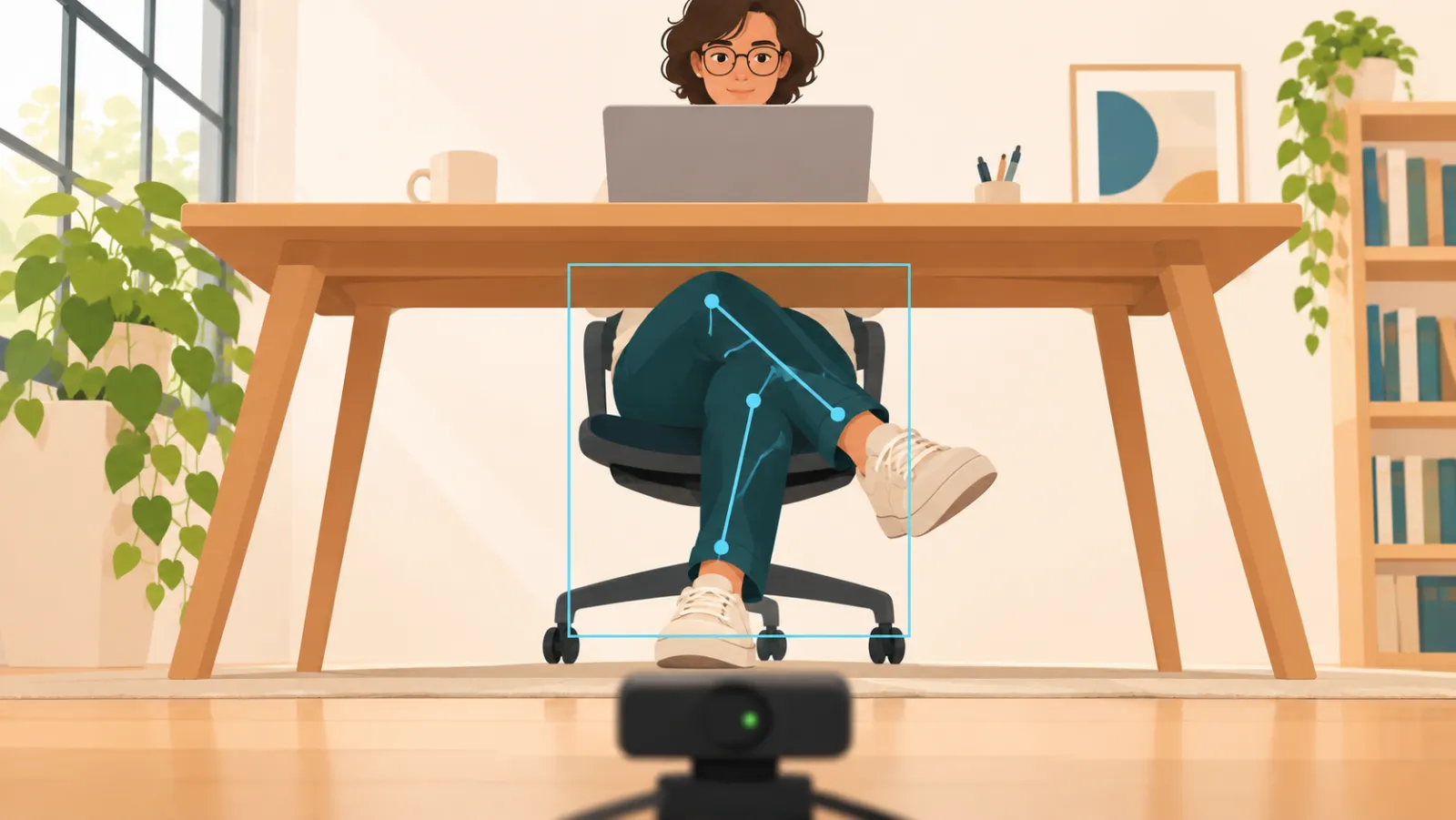
Crossing your legs feels comfortable, and that's the problem. Do it for hours, usually with the same leg on top, and it may add up to some aches and annoyances you didn't sign up for.
It may throw your posture off
When one leg sits over the other, your pelvis tilts and your spine twists a little to compensate. Do that all day, always on the same side, and physical therapists say it can leave some muscles tight and others overworked. That's often blamed for hip, lower back and neck discomfort. The research is thin, but it's a common pattern in the clinic, and sitting square is a free fix.
It can bump up your blood pressure
Cross your legs at the knee and your blood pressure reading can be about 5 to 10 points higher. That's why the nurse asks you to put your feet flat on the floor. It's a temporary bump, not a sign that crossing your legs causes high blood pressure, but it's one more reason to sit square when it counts.
It can put pressure on a nerve
Staying crossed for a long time can squeeze the nerve that runs along the outside of your knee. Ever had your foot fall asleep after sitting that way? That's the nerve complaining. In rare cases it leads to a weak foot that's hard to lift, usually after sitting that way for a couple of hours. It normally clears up on its own within weeks.
If you'd like to cross less, the hard part is noticing you're doing it. That's what SitSquare is for.
SitSquare isn't a medical device and this isn't medical advice. It makes the habit visible so you can decide what to do about it.
How it works
Set it up once.
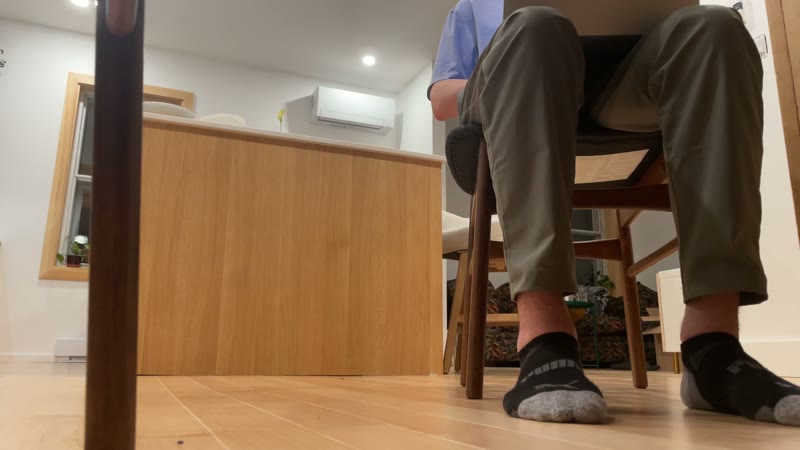
- 1Point a camera at your legs.Put a webcam, or your iPhone through Continuity Camera, on the floor about a metre back with both legs in frame.
- 2Calibrate in a minute.Hold a few poses for five seconds each. SitSquare learns what crossed and square look like in your room.
- 3Get a quiet cue.A soft sound, a spoken phrase or a gentle glow at the screen edge when you cross, and again when you sit square.
In your menu bar
Always there, never in the way.
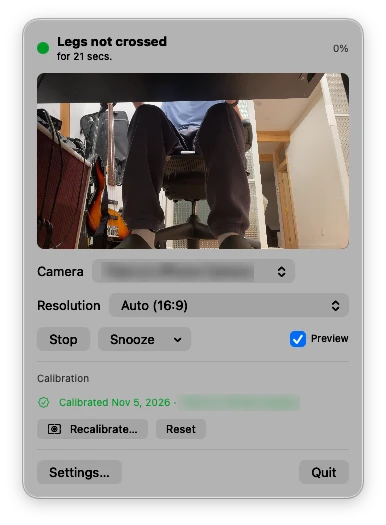
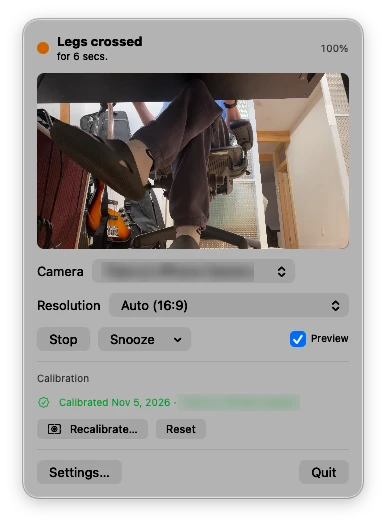
One small window shows what SitSquare sees, and whether your legs are square or crossed right now.
Snooze it, recalibrate it or quit it from the same place.
What it sees
The poses SitSquare learns.
Frames from the footage used to train the model.
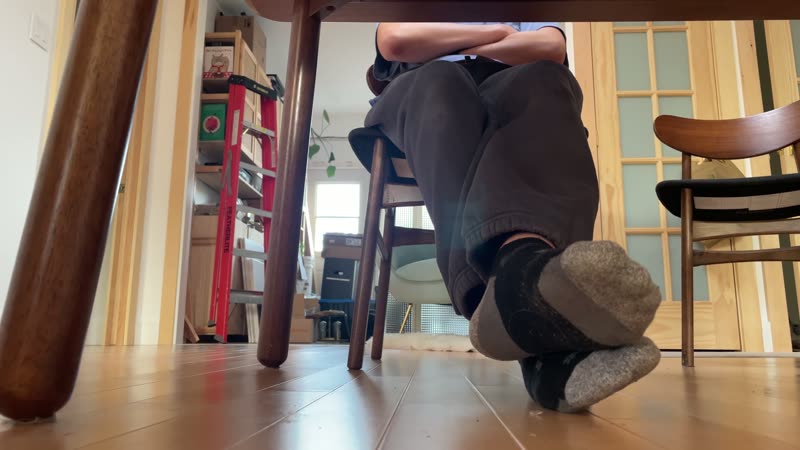
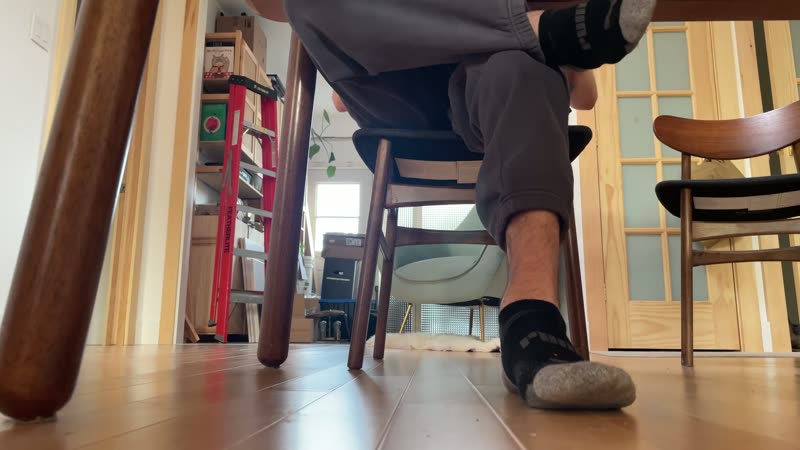
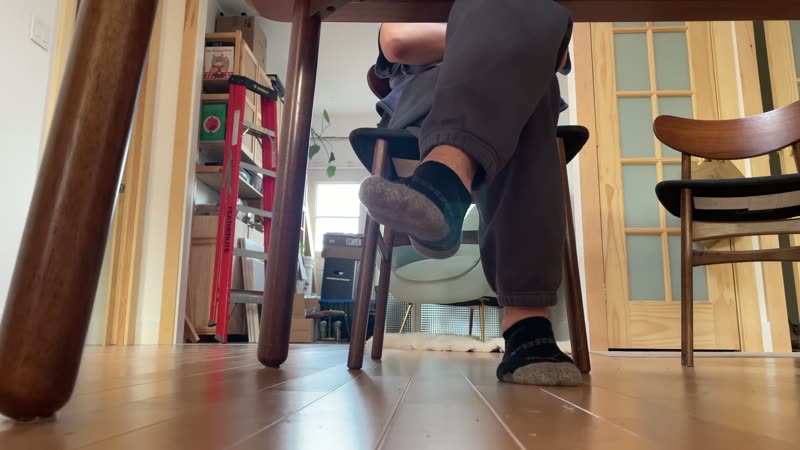
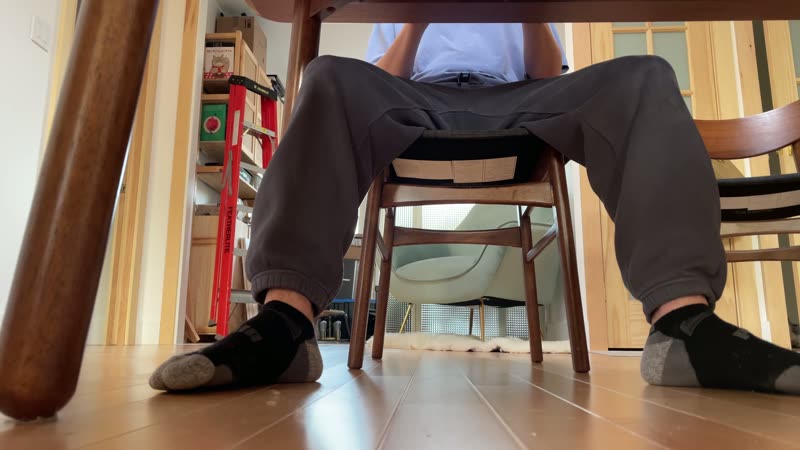
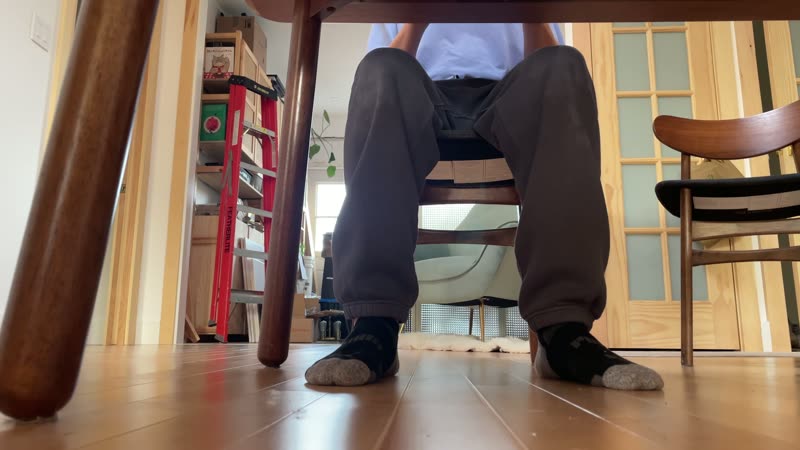
Same poses, different room, chair and camera angle.
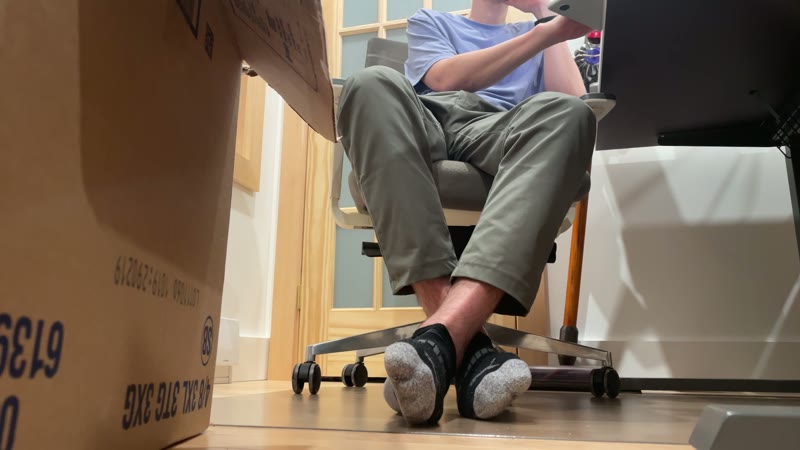
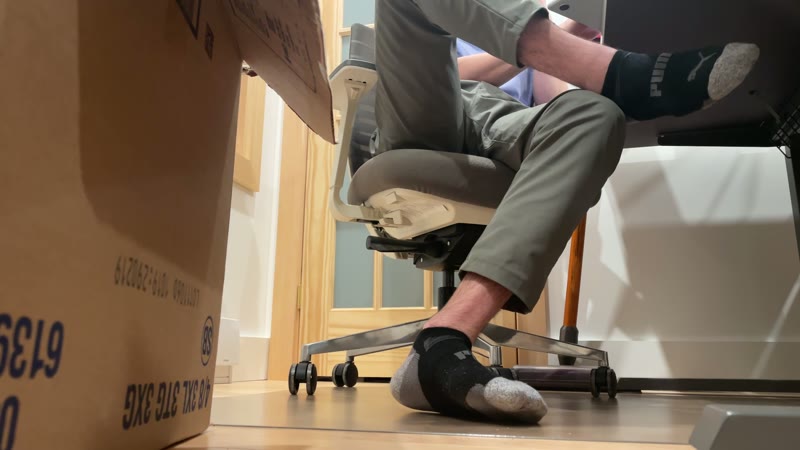
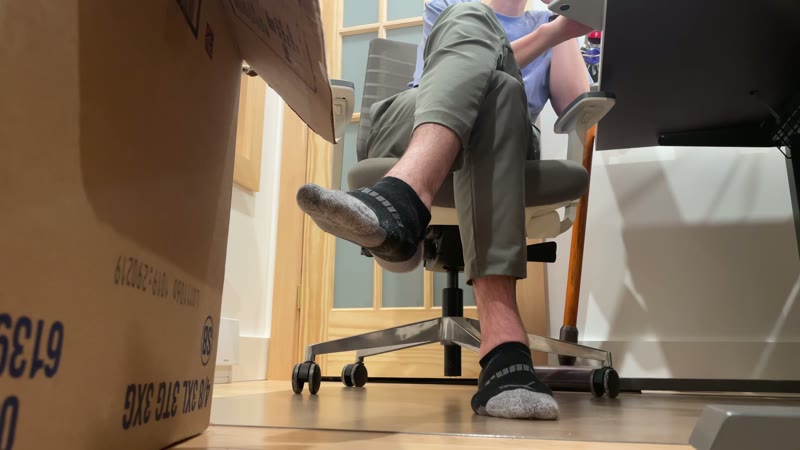
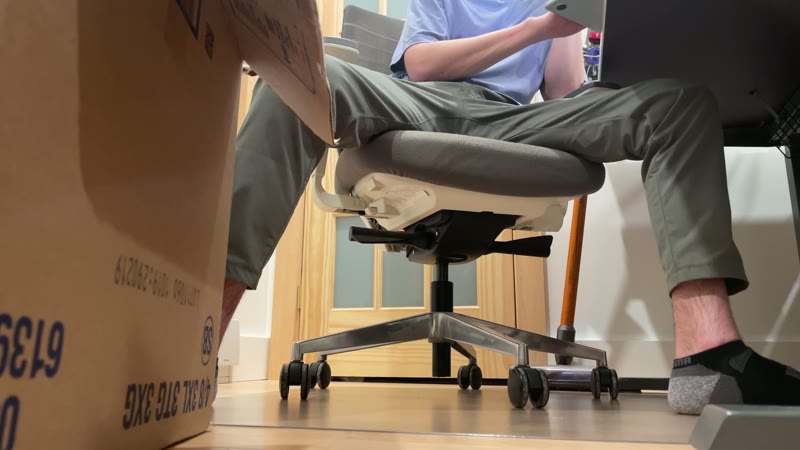
Small and out of the way.
- Lives in the menu bar, with an optional Dock icon.
- Sound, spoken phrase and screen-edge glow, each adjustable per cue.
- A delay setting, so a quick shift doesn't trigger a nudge.
- Opens at login if you like.
Privacy
Your camera stays yours.
Camera frames are analysed in memory on your Mac and discarded. Nothing is stored or sent.
Questions
Do I need a special camera?
Not special, but it has to sit on the floor, with both legs in view. A USB webcam on a long cable works, as does an iPhone through Continuity Camera. A laptop's built-in camera sits too high.
What does it need to run?
A Mac running macOS 14 or later.
Why the calibration step?
Rooms, chairs, clothes and camera angles vary a lot. A short calibration teaches SitSquare what crossed and uncrossed look like for you.
What if my legs are out of view?
SitSquare notices when your legs are out of view or the chair is empty, and holds its cues until they are back. It works best with both legs clearly in frame. It isn't perfect and will occasionally get it wrong.
Does it record video?
No. Frames are processed in memory and discarded.
Sit square.